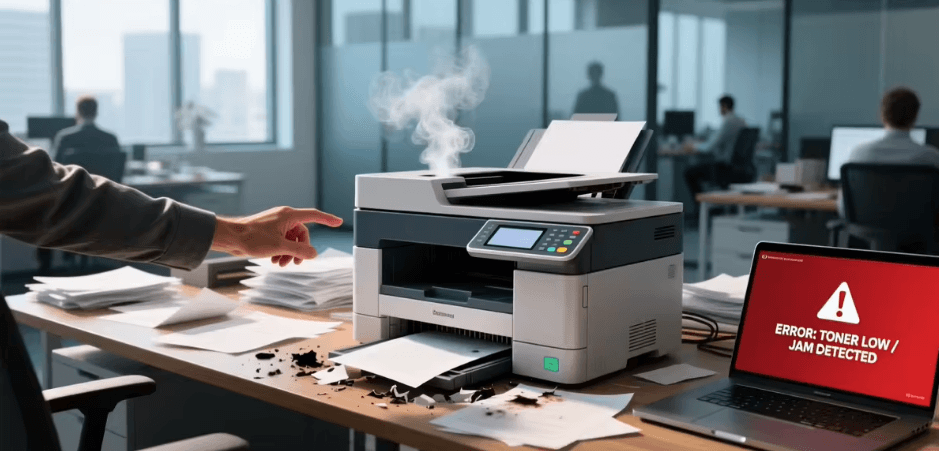
Laser printers fail differently from inkjets. There are no nozzles to block; instead there is a drum, a toner supply, a transfer mechanism and a fuser, and each produces a characteristic defect when it goes wrong. The pattern on the page identifies the part.
This guide maps the common defects to their causes and covers jams and maintenance.
Repeating defect distances and roller circumferences are listed per machine, which is where the Brother user manuals earn their place in a diagnosis.
How a laser printer puts toner on paper
A brief mental model makes the defects obvious. A laser writes an electrostatic image onto a rotating photosensitive drum. Toner — a fine plastic powder — sticks to the charged areas. The drum transfers that toner to the paper, and the paper then passes through a heated fuser that melts the toner into the fibres.
Four stages, four families of defect. Everything below maps to one of them.
Vertical lines down the page
- A solid vertical line in the same place on every page, in the direction of paper travel, usually indicates a scratch or contamination on the drum, or debris on the cleaning blade.
- A white vertical streak in a solid black area typically means toner is not reaching that part of the drum — often a blockage in the toner supply, or toner that has settled.
- For a white streak, remove the cartridge and rock it gently side to side to redistribute toner, then refit. This frequently clears it and is the first thing to try.
- A line that persists after redistributing and after a cartridge swap points at the drum unit, where that is a separate component.
Repeating marks at regular intervals
This is the most diagnostic defect available. A mark that repeats at a fixed distance down the page comes from a rotating component, and the spacing identifies which one, because each roller has a different circumference.
- Measure the distance between repeats with a ruler.
- Compare that measurement against the repeating defect chart in the printer’s service documentation, which lists the circumference of each roller.
- Common candidates are the drum, the developer roller, the transfer roller and the fuser rollers.
This is precisely the kind of measurement that turns a guess into a diagnosis, and it is why service documentation for laser printers includes those figures.
Toner that smudges or rubs off
If printed pages smear when you rub them, the toner was never properly fused. This points to the fuser, or to the paper settings.
- Check the paper type setting. Heavy or specialist media needs more heat, and printing card on a plain paper setting under-fuses it.
- Check the paper weight is within the printer’s specification.
- Check the media is suitable for a laser printer. Inkjet-coated paper and some labels can melt or delaminate in a fuser, which causes damage as well as poor output.
- Persistent under-fusing on correct media points at the fuser unit, which is a service part.
Grey background or toner scatter
- A grey haze across the whole page often indicates a worn drum or a cartridge near the end of its life.
- It can also follow from a humidity problem, since damp paper takes charge differently.
- Toner scattered around characters suggests a transfer or charge issue, or unsuitable paper.
- Try a fresh ream from a sealed pack. Paper that has absorbed moisture is a genuinely common cause of several defects at once.
Paper jams
- Clear jams by pulling paper in the direction of travel where possible, slowly and evenly, to avoid tearing.
- Search for fragments after every jam. A small torn piece left in the path causes repeat jams and is the usual reason a printer reports a jam with no paper visible.
- Open every access door, including the rear, and check the fuser area once it is cool.
- Check the pickup rollers. Glazed or worn rollers fail to separate sheets and cause multi-feeds. Cleaning with a lint-free cloth lightly dampened with water often restores grip; badly worn rollers need replacing.
- Do not overfill the tray, and set the guides firmly against the stack without compressing it.
- Fan the stack before loading.
Toner cartridge handling
- Keep cartridges in their packaging until use. The drum is light-sensitive and brief exposure to bright light can cause a temporary or permanent mark.
- Never touch the drum surface. Fingerprints transfer oils that show on every print.
- Rock a cartridge gently to redistribute toner — do not shake it hard, which can vent toner.
- Remove all shipping tape and any protective cover before installing.
- If toner spills, clean it with cold water, never hot. Hot water fuses the plastic powder into fabric permanently.
Maintenance intervals are specified per machine rather than universally, so find the manual here and check what your model actually requires.
Maintenance
- Follow the printer’s maintenance schedule for transfer and fuser components on higher-volume machines.
- Vacuum toner dust only with a vacuum rated for it — a standard vacuum passes fine toner through the filter and into the air.
- Keep paper in a sealed pack in a dry place.
- Run a cleaning page routine if the printer offers one.
See also: Why Businesses Need a Strong Digital Foundation to Compete Online
Frequently asked questions
Can I keep printing when toner is low?
Usually for some time, particularly after redistributing toner. Print quality will fade gradually rather than stopping.
Is the drum separate from the toner cartridge?
It depends on the design. Some printers combine them, which is simpler; others have separate units with different replacement intervals.
Why do laser printers jam more with recycled paper?
Recycled stock varies more in surface finish and moisture content, and often produces more dust in the paper path.
