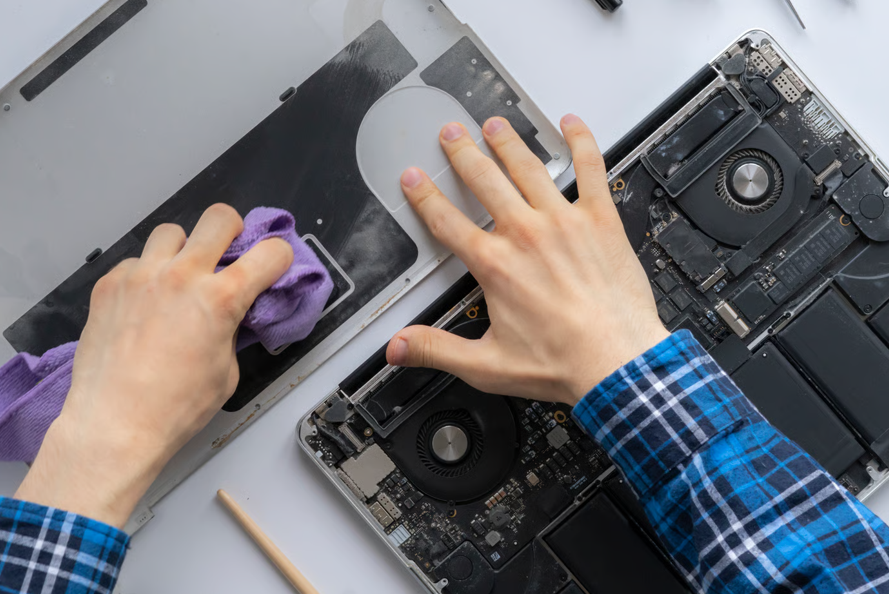
Many MacBook owners in Singapore take their laptops to independent repairers rather than going through Apple. Independent shops vary in quality, so it helps to know what to check before handing over a MacBook.
A trustworthy Apple laptop repair specialist in Singapore should be able to explain three things clearly before any work starts. First, where the replacement parts come from. Second, roughly how long the repair should take, and what could extend that timeline. Third, what happens if the fault turns out to be more serious than it first looked, such as a damaged logic board instead of a simple screen crack. A shop that cannot answer these questions clearly is worth a second look before booking.
What Makes an Apple Laptop Repair Shop Trustworthy?
Parts sourcing is one of the most important factors, and one of the easiest to ask about.
Replacement parts for MacBooks generally fall into a few groups: genuine Apple parts, recovered or refurbished original parts, and third-party parts. Each involves different costs and trade-offs. A reasonable question to ask any independent repairer is which type of part they’ll use for the specific repair and what warranty it comes with.
Experience matters too. A technician who regularly handles MacBook logic board faults is more likely to diagnose a problem accurately than one working from a general repair manual, so it is fair to ask how much specific MacBook experience the shop has, not just general laptop experience.
It also helps to ask how the shop handles a repair that turns out to be bigger than expected once the case is open. A technician who calls to explain new findings and get approval before continuing is behaving differently from one who simply finishes the job and hands over a larger bill. That habit is a useful sign of a shop’s transparency.
What Should a MacBook Repair Service Cover?
A proper MacBook repair service should cover more than cracked screens.
Screen and battery replacements are common requests, but a MacBook can also develop problems with its charging port, keyboard, trackpad, power button, fan, logic board or internal components after liquid damage. Liquid damage, in particular, needs a full inspection rather than a quick fix, since corrosion can spread to parts that didn’t look wet at first. A shop that only advertises screen and battery work may not be set up for the more complex faults, so it is worth checking the full list of services before assuming a shop can handle every type of MacBook problem.
Data safety is worth asking about too, separate from the hardware fix itself. A repair that only touches the screen or battery should not affect stored files, but any repair involving the logic board or storage carries some risk. Backing up important files before dropping off a MacBook, when possible, removes one source of worry regardless of which shop does the work.
How Long Should a MacBook Repair Actually Take?
Turnaround depends on the fault, the model and whether the part is already in stock. A battery or screen replacement is usually quicker than a repair involving liquid damage or the logic board, which needs more investigation before a timeline can be confirmed.
A MacBook with liquid damage or a logic board fault usually needs a full diagnosis before anyone can give a firm timeline, since the technician needs to open the machine and check for corrosion or component damage first. That diagnosis alone can take time. For many common MacBook repairs, one to two days is a realistic expectation once the fault is confirmed, although parts availability can extend this. A firm timeline given before the machine has been inspected is worth questioning, particularly for liquid or logic board damage.
Finding an Apple Laptop Repair Specialist in Singapore
Many independent repairers in Singapore publish their services and supported models online, which makes it easier to check whether a shop suits a particular MacBook before visiting.
One example is Singapura Mobile Repair, which lists its Apple laptop repair services in Singapore by MacBook Air and MacBook Pro model number, covering screen, battery, keyboard, charging port, liquid damage, and motherboard repairs. Browsing a repairer’s full catalogue by device model, such as this laptop repair shop in Singapore, gives a clearer picture of what is actually covered than relying on a general “we repair everything” claim.
Beyond a straightforward screen or battery replacement, most repairers need to inspect a MacBook before giving a firm quote. This is not evasiveness: once liquid damage or an internal component fault is involved, the final cost depends on what the technician finds inside.
See also: SEO for HVAC Contractors: A Complete Guide to Growing Your HVAC Business Online
Frequently Asked Questions
Is it safe to use an independent shop instead of an Apple Store for a MacBook repair?
It can be, provided the shop is clear about the parts it uses and has specific experience with MacBook faults, not just general laptop repair. Asking directly about parts and experience before booking is better than relying on the shop’s marketing claims.
Does independent MacBook repair void any remaining Apple warranty?
Not automatically, but it can affect coverage. Apple’s one-year limited warranty does not cover accidental or liquid damage, and its warranty terms also exclude damage caused by service from anyone other than Apple or an Apple Authorised Service Provider. For an in-warranty hardware fault unrelated to accidental damage, it is worth checking with Apple first.
How much does MacBook screen or battery repair usually cost in Singapore?
Pricing varies by exact model, since newer MacBooks use more expensive display and battery components than older ones. A same-model comparison across a few shops is more useful than a single average figure, since the gap between an older MacBook Air and a current MacBook Pro can be significant.
What is the biggest mistake people make after spilling liquid on a MacBook?
Continuing to use it, or trying to charge it, while it is still wet. If a MacBook has been exposed to liquid, stop using it and arrange for professional inspection rather than waiting to see if it dries out on its own.
