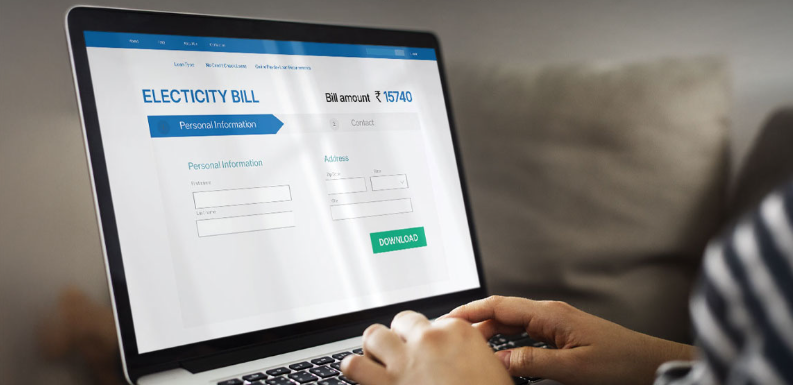
Managing an electricity bill does not always require a visit to a PSPCL office. Consumers can use the official online services of Punjab State Power Corporation Limited to view a PSPCL bill, check bill history, make payments, and download payment receipts. The official PSPCL website currently provides several digital options, including bill payment through its website, Insta Bill Payment, advance or partial payment, BBPS, UMANG, and NEFT/RTGS options.
A PSPCL bill contains important information about your electricity connection, billing period, amount payable, due date, and other account details. Checking the bill before making payment is useful because it allows you to confirm the amount and payment deadline. PSPCL’s online payment portal lets consumers enter their account number to retrieve current bill details and then proceed to the payment gateway.
This guide explains the complete process in simple language. You will learn how PSPCL bill view, PSPCL bill download, PSPCL bill online services, online bill payment PSPCL, and Insta Bill Payment PSPCL work. The information below is based primarily on current information published through official PSPCL sources, including the PSPCL website and payment portal.
What Is a PSPCL Bill?
A PSPCL bill is the electricity bill issued to consumers of Punjab State Power Corporation Limited. It records the electricity charges associated with a consumer account for the relevant billing period. Depending on the connection and billing arrangement, the bill can include consumption information, billing dates, the amount payable, the due date, and other applicable charges or adjustments.
The bill is important because it tells you exactly what you need to pay and when the payment should be made. Instead of waiting for a physical copy, consumers can use the PSPCL digital services to check current billing information. PSPCL’s current website provides consumer services for paying bills, checking bill history, downloading payment receipts, registering contact details, and using paperless billing services.
The online system is particularly useful for people who travel, manage several electricity connections, or prefer digital records. A registered PSPCL account can also provide access to payment history, bill history, receipts, and multiple bill payments. The official payment portal states that registered users can manage accounts and view payment information through its dashboard.
Information Available on a PSPCL Bill
The exact appearance of a PSPCL bill can vary according to the type of connection and billing system. However, an electricity bill generally contains details that help the consumer identify the account and understand the amount being charged. Official PSPCL bill documents show fields such as the circle, division, sub-division, bill cycle, bill date, bill number, due date, consumer details, and contract account information.
The consumer should pay particular attention to the account or consumer number because it is commonly required when using online services. The due date is also important because late payment can result in additional charges according to applicable rules. If the amount appears unusual, comparing the current bill with previous bills and consumption history can help identify whether the difference is related to higher usage, billing adjustments, or another issue.
How to Check PSPCL Bill Online
Checking a PSPCL bill online is one of the easiest ways to know your current payable amount. PSPCL’s official bill-payment portal provides a dedicated section where consumers can enter their account number and submit the request. The portal states that current available bill details are displayed after the account number is submitted.
For consumers who need access to detailed billing or payment information, PSPCL requires proper authentication. The payment portal explains that open access to billing and payment information was blocked from May 23, 2022, following guidance concerning authentication. Consumers can create an online login using their mobile number or email to access these details.
Once you have access, you can check the amount due, billing information, payment history, and other available services. This is more convenient than depending only on a paper bill because your account information can remain available through the official digital system.
PSPCL Bill View Without Visiting an Office
The PSPCL bill view service is useful when you have not received a physical electricity bill or simply want to confirm the amount before paying. PSPCL’s official FAQ states that a duplicate bill can be obtained from the concerned sub-division and that a bill can also be downloaded from the PSPCL website.
For online access, keep your consumer or account number available. If the portal requests registration or authentication, complete the official registration process using your own mobile number or email. PSPCL’s current registration page asks for basic details including name, mobile number, and email before proceeding with account creation.
Using the official website is important. Avoid entering your electricity account details into unknown websites that promise instant bill information. The safest approach is to begin from the official PSPCL website and use its available consumer services.
How to Download PSPCL Bill
The PSPCL bill download process can be useful when you need a digital copy for your records. A downloaded bill can be stored on your phone or computer and can be used for personal reference, payment verification, or record keeping. PSPCL’s official consumer information confirms that bills can be downloaded through its website.
The exact download option may depend on whether you are using the current consumer portal, an authenticated account, or another PSPCL service. If you are unable to see detailed bill information, check that you are logged in correctly and that your account is properly registered. PSPCL also provides a help section for problems involving detailed bills or receipts not appearing correctly.
When you download a PSPCL bill, check the bill date, account number, consumer name, due date, and payable amount. Keeping previous bills can also help you compare electricity consumption over time. If your usage suddenly changes, historical bills may provide useful context before you contact customer support.
How to Pay PSPCL Bill Online
Online bill payment PSPCL services allow consumers to pay electricity charges without visiting a cash counter. The official PSPCL payment portal instructs users to enter their account number, view the available bill details, select the payment option, and continue through the available payment gateway.
Depending on the available gateway and service, consumers may have different payment choices. PSPCL currently lists digital payment routes through its website as well as BBPS, UMANG, NEFT/RTGS, and other supported options.
Before confirming payment, verify the account number and payable amount. After a successful transaction, keep the transaction reference or receipt. This is especially important if the payment status takes time to update.
Online Bill Payment P#SPCL Through the Official Portal
To use online bill payment PSPCL, start from the official PSPCL website or its official bill-payment portal. Enter the account number in the bill-payment section and submit it. The system can display the current available bill, after which you can select the payment option and continue to the relevant payment gateway.
The official portal also supports advance or partial payments. Its advance-payment page explains that consumers can enter an amount for payment, with a minimum amount of Rs. 100 shown on that interface. Applicable surcharge rules may apply when bills are not paid by the due date.
A successful payment should be recorded carefully. If your bank confirms that money was deducted but the PSPCL payment does not immediately appear, do not repeatedly submit another payment without checking the transaction status. PSPCL’s payment portal advises consumers to wait for the receipt when a payment gateway confirms a successful transaction, particularly when processing is delayed or a holiday intervenes.
Insta Bill Payment PSPCL
Insta Bill Payment PSPCL is one of the digital payment services listed by PSPCL on its official website. It is designed to provide consumers with a direct way to access bill-payment services without depending entirely on traditional payment methods. PSPCL currently displays Insta Bill Payment alongside advance payment, NEFT/RTGS, UMANG, and BBPS options.
When using any online PSPCL payment service, the most important step is to confirm that you are using an official PSPCL page. Do not trust links received through random messages, social media posts, or unofficial websites simply because they contain the PSPCL name. Electricity-payment scams can attempt to create urgency by claiming that a connection will be disconnected immediately.
If a payment page asks for information that is unrelated to normal payment processing, stop and verify the website. PSPCL itself publishes cyber-fraud warnings on its consumer pages, making it important for users to remain careful when handling electricity account information and payment details.
PSPCL Bill Payment Through BBPS and UMANG
Consumers have more than one digital option for paying a PSPCL bill. PSPCL’s current website lists payment through Bharat Bill Pay, commonly called BBPS, and UMANG in addition to its own online services.
BBPS can be useful for consumers who already use a supported banking or payment application that provides electricity-bill services. UMANG is another government digital platform through which PSPCL lists bill payment as an available service. The best method depends on which platform you already use and which service is currently available for your account.
Regardless of the payment method, always confirm the biller name, consumer number, and payable amount before submitting the transaction. Save the receipt or transaction reference after payment. A digital record makes it easier to resolve an issue if the payment is delayed or incorrectly reflected in the account.
How to Check PSPCL Bill Payment Status
After making an online payment, you may want to know whether the transaction has been successfully recorded. The PSPCL consumer portal provides features for viewing payment history and bill receipts after login.
If money has been deducted from your bank account but the payment status is not immediately updated, first check the transaction status with the payment gateway or your bank. PSPCL’s official payment portal states that if a payment gateway confirms a successful payment, consumers should wait for the receipt, with a longer waiting period possible during holidays.
Avoid making multiple payments simply because the first receipt is delayed. Duplicate payments can create unnecessary confusion. Keep the transaction ID, payment date, approximate time, amount, and PSPCL account number available if you need to contact the payment gateway or PSPCL support.
How to View Previous PSPCL Bills
Viewing previous bills is helpful when you want to compare your electricity usage or investigate an unexpected increase. The registered PSPCL portal provides a bill history feature, allowing consumers to access available historical billing information through their account.
Historical bills can show whether the latest amount is part of a normal pattern or a sudden change. For example, higher consumption during a particular month may explain a higher bill, while an unexpected adjustment may require further investigation. Reviewing several previous bills provides more useful information than looking only at one month.
PSPCL’s current consumer services also include payment history and payment receipts. This means registered users can maintain a useful digital record of both what was billed and what was paid.
How to Get PSPCL Bill Receipt
A PSPCL bill payment receipt is evidence that a payment was processed. It is useful for personal records and can become important if there is a dispute about whether an electricity bill was paid. PSPCL’s consumer portal currently lists the ability to download bill payment receipts.
After paying online, look for the receipt or payment-history option in your authenticated account. Save the receipt as a PDF or keep a screenshot of the transaction reference when appropriate. For larger or important payments, maintaining the bank transaction record together with the PSPCL receipt provides an additional record.
If the receipt is not visible, check your payment status before attempting another transaction. PSPCL also provides a help section for issues where detailed bills or receipts are not displayed correctly.
How to Register for PSPCL Online Services
Registration is useful for consumers who want more than a one-time payment. PSPCL’s current portal supports registration using a name, mobile number, and email address. After registration, users can log in and access features such as bill history, payment history, receipts, and account management.
A registered account can be particularly useful for households managing multiple electricity connections. The PSPCL portal states that registered users can make multiple bill payments and manage accounts through the dashboard.
When creating an account, use your own contact information and keep your login credentials private. Do not share passwords or one-time verification codes with another person simply because they claim to be a PSPCL employee. Official digital services should be accessed through trusted PSPCL channels.
PSPCL Smart Meter and Paperless Billing
Smart meters are changing how electricity billing information is delivered. PSPCL currently provides paperless billing services for smart-meter consumers through its digital consumer services.
PSPCL documents also describe paperless billing for consumers with smart meters, with bills delivered through registered email addresses and information sent through registered mobile numbers. A 2026 PSPCL document concerning smart-meter implementation also refers to paperless billing and timely delivery through email and SMS/WhatsApp using registered contact information.
This makes keeping your mobile number and email address updated especially important. If contact information is incorrect, you may miss billing notifications. PSPCL’s website includes options related to registering a mobile number or email ID for online bill services.
What to Do If PSPCL Bill Is Not Received
Not receiving a physical PSPCL bill does not necessarily mean that the bill has not been generated. Consumers can use the online system to check available billing information. PSPCL’s official FAQ also states that a duplicate bill can be obtained from the concerned sub-division and that a bill can be downloaded from the website.
If you use paperless billing, check the email address and mobile number registered with PSPCL. Also check your email spam or promotional folders if you are expecting a digital bill. Smart-meter consumers may receive billing information electronically rather than through a traditional paper document.
If the bill remains unavailable, contact PSPCL through its official support channels rather than relying on an unofficial website. The payment portal lists customer care number 1912, customer-care email 1912@pspcl.in, and an online public-grievance option.
What to Do If PSPCL Bill Amount Is Wrong
An unusually high PSPCL bill should be checked before assuming that there is an error. Compare the current consumption with previous months and examine the billing period, meter information, adjustments, and other charges shown on the bill. A change in household usage can naturally produce a different amount, especially during periods of increased electricity consumption.
If the amount still appears incorrect, PSPCL provides services for reporting an incorrect bill. Its current website includes Report Incorrect Bill and Online Payment Problem options among its consumer services.
You can also contact the concerned sub-division or customer service. PSPCL’s consumer manual describes billing-related complaints and provides a process for selecting the relevant complaint type and providing location and problem details.
PSPCL Bill Payment Charges and Timing
Payment processing can involve gateway-specific charges depending on the payment method. PSPCL’s payment portal publishes gateway information and applicable charges, so consumers should check the current payment page before choosing a particular gateway. The portal also lists contact details for gateways such as BillDesk and SBI for payment-related issues.
The PSPCL digital payment system also has a daily maintenance or closure window. The current official payment portal states that the digital payment system remains closed daily from 23:15 to 00:15.
This timing matters if you are trying to make an urgent payment late at night. If the payment page is temporarily unavailable during this period, waiting until the service resumes is preferable to using an unfamiliar third-party website. Always check the official PSPCL portal for the latest service status and payment information.
PSPCL Bill Payment Safety Tips
Online payment is convenient, but users should treat their electricity account like any other financial service. Start by typing or navigating to the official PSPCL website rather than clicking suspicious payment links. PSPCL itself publishes cyber-fraud warnings and advises consumers to remain alert.
Never share an OTP, banking password, card PIN, or other confidential payment credential with someone claiming that your electricity connection will otherwise be disconnected. A genuine payment process should not require you to reveal a private banking password to another person.
You should also check the website address before entering account or payment information. Save the official PSPCL website in your browser if you frequently check your PSPCL bill. This simple habit reduces the risk of accidentally using a fake page designed to collect personal or payment information.
PSPCL Bill Customer Care and Complaints
When you have a problem with your PSPCL bill, official customer support is the safest place to seek help. PSPCL’s current payment help page lists 1912 as the customer-care number, 1912@pspcl.in as the customer-care email, and its online public-grievance system for complaints.
PSPCL’s website also provides services for complaints related to bills, online payments, and other consumer issues. The consumer manual explains that billing complaints can be registered by selecting the relevant complaint category and providing the required details.
When contacting customer support, keep your account number, bill number, payment reference, date of payment, and relevant screenshots or receipts available. Providing accurate information makes it easier for the support team to identify the account and understand the problem.
PSPCL Bill: Common Problems and Solutions
One common problem is that a consumer cannot see detailed billing information. PSPCL explains that billing and payment information requires proper authentication, and users may need to create or use a registered account.
Another problem occurs when a payment succeeds at the bank but the receipt does not appear immediately. In this situation, keep the transaction details and wait for the payment status to update rather than immediately paying again. PSPCL’s official portal provides guidance for successful gateway transactions that have not yet generated a receipt.
A third issue is when detailed bills or receipts do not open correctly in a browser. PSPCL’s help page contains troubleshooting information for such situations, including browser pop-up settings.
If the problem continues, use the official customer-care or grievance channels. This is better than sharing account information with an unknown person offering unofficial assistance.
See also: How Tinted SPF Simplifies Busy Morning Skincare Routines
Benefits of Checking PSPCL Bill Online
Checking a PSPCL bill online saves time and gives consumers better control over their electricity records. You can check the current amount without waiting for a paper copy, and registered users can access useful information such as bill history, payment history, and receipts. PSPCL’s current portal specifically lists these functions among its login features.
Digital access also makes it easier to compare bills. If you regularly save your bills, you can monitor changes in consumption and identify unusual amounts earlier. This can help you investigate potential billing issues before they become more difficult to resolve.
Another benefit is payment flexibility. PSPCL currently provides several digital payment routes, including its website, Insta Bill Payment, BBPS, UMANG, advance payment, and NEFT/RTGS options.
For many consumers, the biggest advantage is convenience. Instead of arranging a trip to a payment counter, you can use an online service from a computer or smartphone. The key is to use official PSPCL services, verify your information before payment, and retain your receipt after completing the transaction.
Conclusion
A PSPCL bill can now be managed through a wide range of online services. Consumers can use the official PSPCL website and payment portal to check their current bill, access bill history, make payments, download payment receipts, and use services such as Insta Bill Payment, BBPS, UMANG, and advance payment.
The simplest approach is to keep your PSPCL account number and registered contact details updated. Before paying, check the bill amount and due date. After paying, save the transaction reference or receipt so you have proof of payment if an issue occurs.
If you cannot access your PSPCL bill, believe the amount is incorrect, or face a payment problem, use PSPCL’s official customer-support channels rather than relying on unofficial websites or individuals. The current PSPCL payment help page lists 1912 and 1912@pspcl.in for customer support.
The digital PSPCL system is useful because it puts important billing information in one place. With the correct account details and a secure internet connection, consumers can handle many routine electricity-bill tasks without visiting an office.
FAQs About PSPCL Bill
How can I check my PSPCL bill online?
You can check your PSPCL bill online through the official PSPCL bill-payment portal. Enter your account number in the bill-payment section and submit it to view the current available bill details. For detailed billing and payment information, PSPCL requires proper account authentication.
How can I download my PSPCL bill?
PSPCL provides online access to bills, and its official FAQ confirms that consumers can download a bill through the PSPCL website. If you cannot access detailed information, make sure you are properly registered and authenticated before trying again.
What is Insta Bill Payment PSPCL?
Insta Bill Payment PSPCL is one of the online bill-payment services listed on the official PSPCL website. It provides consumers with another digital route for paying electricity bills alongside options such as BBPS, UMANG, advance payment, and NEFT/RTGS.
What should I do if my PSPCL online payment is successful but the receipt is missing?
First, check the payment status and keep your transaction details. If the payment gateway confirms that the transaction was successful, PSPCL advises consumers to wait for the receipt, with additional processing time possible during holidays. Do not immediately make another payment without checking the first transaction.
What is the PSPCL customer-care number?
The current PSPCL payment help page lists 1912 as the customer-care number. It also lists 1912@pspcl.in as the customer-care email and provides an online public-grievance option.
